
WhatsUp.NET 0.1.1.4
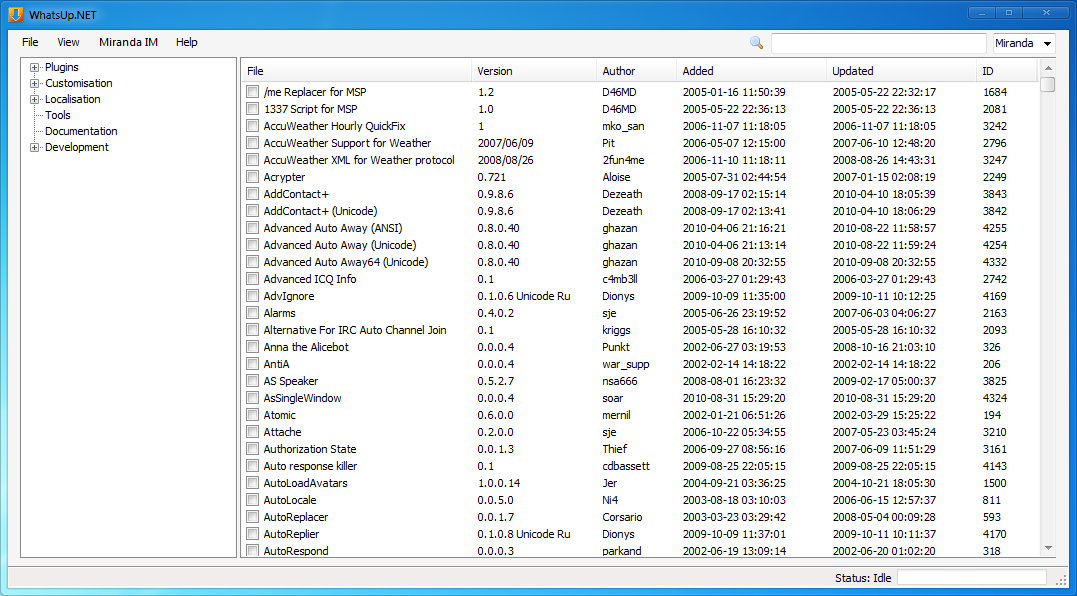
Description: WhatsUp.NET is a standalone downloader for Miranda addons.
Features:
- Download up to 10 addons at once
- Optional extract to a specified directory
- Delete downloaded addons (manually)
- Open addon URL for a complete description
- Update backend files which are older than 24 hours
- Search category for an addon
- Search Addons website (Miranda IM or Google search)
- Show last 15 new and updated addons
Usage: - Browse to the desired category
- Tick desired addon (up to 10 addons)
- Right-click and click download
Discussion: http://forums.miranda-im.org/showthread.php?p=162276
Donation: http://donate.sourcefreak.de
Miranda Skin Studio 0.8.5.b2
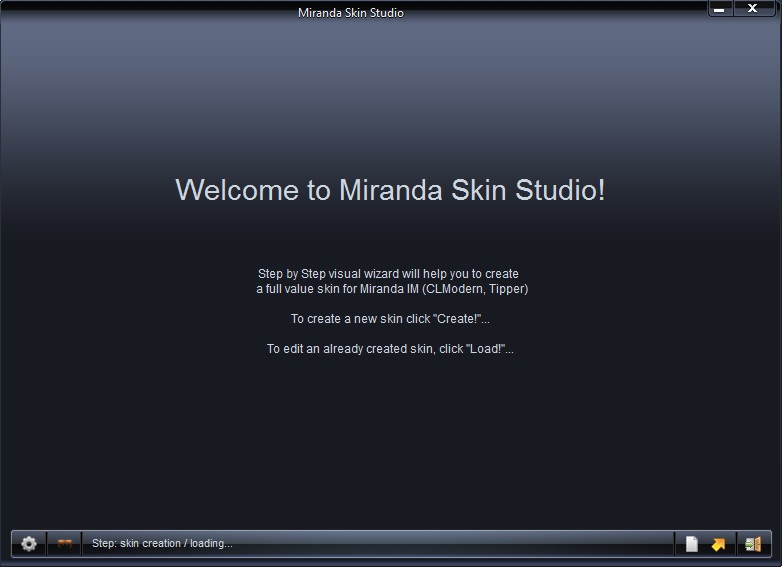
Description: На данном этапе программа поддерживает создание скинов для плагина Clist Modern, Tipper YM.
Основные возможности:
• Создание скина визуальным путём.
• Просмотр скина в процессе его создания.
• Созданный с помощью программы скин избавлен от всякого мусора.
• Возможность правильного выравнивания изображений.
• Интуитивный интерфейс взаимодействия с пользователем.
• Возможность редактирования уже созданных скинов.
• На создание скина (при наличии изображений) уйдёт менее 10 минут.
Данная программа не заменима для начинающих скин-мэйкеров, а так же тех, кому создание скинов через блокнот доставляет много головной боли.
Спасибо тестерам 0.8.4.b2: Lestat, Glebash
Отдельное спасибо Hellpain за помощь в создании перевода.
А также отдельное спасибо Kuzzman и всем тем людям которые каким либо образом помогали найти ошибки и просто помогали!
=============
At this stage, the program supports creating skins for plugin Clist Modern, Tipper YM.
Main features:
• Skin visual way.
• View the skin in the process of its creation.
• Created by using the skin free of any debris.
• Possibility to correct the alignment of the images.
• Intuitive user experience.
• Possibility to edit the existing skins.
• To create skin (with images) take less than 10 minutes.
This program is not necessary for beginners skin-maker, as well as those who create skins through notebook delivers a lot of headaches.
Thanks testers 0.8.5. b2: Lestat, Glebash
Special thanks to Hellpain for assistance in doing a translation.
And special thanks to Kuzzman and all those people who somehow helped find bugs or just help!
(English text added from an addon-site-moderator using bing translator)
Themer (111) [for MIM 0.8 only] 1.2

Description: With this patch you can apply all design setings (themes) at one move.
Actually, an extrator.exe extracts nothing but design settings from a selected ini file, and put them as an autoexec_*.ini file. For more details see readme.
Contains plugins, applications and ideas by these peole:
Igor Abakumov, Awkward, Eblis, P. Boon, Ricardo Pescuma, George Hazan, Unsane, Mataes, Kiwi0Fruit.
Plugins:
¤ Actman.dll v.0.0.1.9 - Action manager
¤ Folders.dll v.0.1.4.5 - Custom profile folders
¤ UseActions.dll v.0.0.0.3 - UseActions
¤ Variables.dll v.0.2.3.6 - Variables (Unicode)
¤ ChangeTheme.xml originally by Mataes
¤ extractor.exe by Kiwi0Fruit
Setup instructions:
http://kiwi0fruit.tumblr.com/post/1229003985/themer-setup-instructions
There are two themes created by means of Themer:
http://dl.dropbox.com/u/5265451/project_111/111Theme.zip
http://dl.dropbox.com/u/5265451/project_111/EclipseWatchingTheme.zip
Screen-shoots:
http://dl.dropbox.com/u/5265451/screen_shoots_111/111themeAero.png
http://dl.dropbox.com/u/5265451/screen_shoots_111/EclipseWatchingTheme.png
Miranda Themer and 2 themes are integrated into this pack:
http://t.co/gFZ7PJ6
Screen-shot:
http://t.co/wF7XHLJ
Instruction:
http://dl.dropbox.com/u/5265451/screen_shoots_111/warning_eng.png


Miranda imo2sproxy preloader 0.3.0
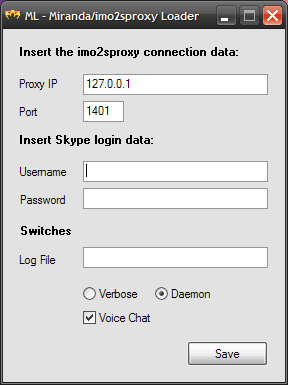
Description: This is a simple program that loads the "imo to Skype proxy" file (imo2sproxy) before running miranda.
Usage:
- Copy the file ml.exe inside the miarnda im folder.
- Click on ml.exe to start the program. If there is no ml.ini file in the same directory, the program will ask for configuration parameters (see the imo2sproxy documentation for more details). If ml.ini already exist, the program will load into memory imo2sproxy.exe and execute miranda32.exe
Attention, ml.exe looks in its folder for ml.ini and miranda32.exe so please do not rename these files.
For those using one of my Miranda Install&Go packages, do the following: - Copy the file ml.exe inside the installation folder of Miranda IG….
- Edit the file ml.ini to enter your Skype account and other parameters required by the proxy (see the imo2sproxy documentation for more details)
- From the Start menu, find the choice Miranda IG… and click on it with the right mouse button. A menu appears, click on the last item that should be Properties. In the dialog that appears, find the field "Destination", change only the filename from the path by replacing miranda32.exe with ml.exe. In the next field, which should be "From", enter the installation path of Miranda IG… . Practically equal to the contents of the previous field, omitting the name of the file.
You should have something like this:
Destination: c:\Program Files\Miranda IG…\ml.exe
From c:\Program Files\Miranda IG…<br /> - Click on the menu choice Miranda to start the ml.exe program. If there is no ml.ini file in the same directory, the program will ask for configuration parameters (see the imo2sproxy documentation for more details). If ml.ini already exist, the program will load into memory imo2sproxy.exe and execute miranda32.exe
UPDATE:
For those that have the previous versions, remember to delete the ml.ini so that the program can ask again the paramaters and encrypt them to the new ml.ini file.
Thats all.
Sal.
Miranda IM AIR Translator 0.3.0
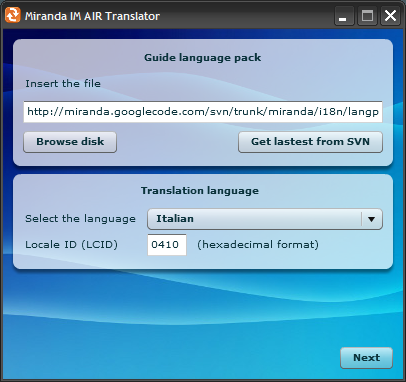
Description: A little nice tool that generates miranda language files easly and with the help of the google translate service.
I wrote it using the new Adobe AIR (http://www.adobe.com/products/air). The application can run on Windows, Mac OS X and Linux!
To install and run it, you first need to install Adobe AIR or… you can just click on the badge i posted on the Miranda IM Install&Go website at this address:
http://miranda.net63.net/?p=348
Miranda KillProcess 1.2

Description: Some users couldn’t solve the problem that after shutting down Miranda it is still running in the backround as a process.
This tool kills the process simply by doubleclick,
so it isn’t necessary to make it with taskmanager.
- tested only under vista32!
Simply qip2asl smiles converter 1.0

Description: Converts qip’s *.ini file in smile’s diretry to *.asl file, which can be used in Miranda.
Just put this jar-file in directory, which containt smile-pictures and qip’s ini-file, and run it.
Miranda smiley pack editor 1.03

Description: ‘Miranda smiley pack editor’ is a program for editing smiley packs is ASL format
Key Features:
Re-sotring smilies using Drag&Drop, by buttons or keyboard;
Preview with animation support;
Ability to edit smiley pack settings and comments;
Smiley search;
Smiley packs merge;
Bug check;
Bilingual interface;
Limitations:
ALS-file and smileys must be in one folder;
Comments can be placed only at the beginning of the file.
System Requirements:
.NET Framework 2.0 (or 3.0 - it includes 2.0), in Windows Vista pre-installed version 3.0.
.NET Framework 2.0: http://www.microsoft.com/downloads/details.aspx?displaylang=en&FamilyID=0856eacb-4362-4b0d-8edd-aab15c5e04f5
.NET Framework 3.0: http://www.microsoft.com/downloads/details.aspx?displaylang=en&FamilyID=10cc340b-f857-4a14-83f5-25634c3bf043
Russian homepage: http://www.sensusware.ru/
Russian forum: http://miranda-planet.com/forum/index.php?showtopic=98
Miranda Translator.NET 1.1.0
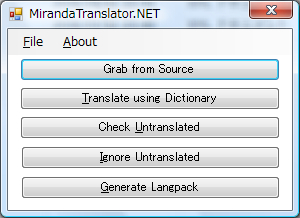
Description: Miranda Translator.NET is a helper application for translators to maintain their translations in an easy and efficient way.
Functions of Miranda Translator includes:
Capturing translateable words from source codes (For both Miranda and plugins, support C/C++, RC and Pascal/Delphi sources)
Capturing translateable words from langpack txt provided by plugins (Rename the extension of file to txr)
Import of translated words from old langpacks and langpack-formatted text files
Updater FLID support
Generation of ready-to-use langpacks
Prepend and/or Append your own text file(s) to langpack file
Support generation of langpack index (TOC) (Old non-.NET version only)
Support generation of plugin list in readme file (Old non-.NET version only)
More functions can be added per request
Miranda Translator.NET is the rewritten version of Miranda Translator, which has the following improvement over the old product:
# Web server independent. It is a standalone .net Framework 2.0 application.
# No database server required. All configurations and data are stored in xml files.
# Multiple source support. You can now place sources in different locations. Especially useful for plugin developers.
# Speed retranslate. When you update the source codes, only updated files will be processed. This speeds up the capture process by at most 99%.
# Full Unicode supprt. You can now manage langpacks and phrases that is not your native langauge! This program will save the langpack with correct encoding for you.
# Common and Private Whitelist, Blacklist and Superlist. By separating the lists, capture speed can be faster and capture mistakes can be reduced.
Miranda Translator.NET is now in beta stage, the following function is not yet implemented:
# TOC for prepend file (Not planned)
# Plugin list (Not planned)
# Phrase/Ignore list manager (For now, you can edit the according xml directly)
Source of this tool can be found in sf SVN:
http://sourceforge.net/svn/?group_id=142640 (Under trunk/MIMTranslator.NET)
nConvers++ Emotion Package Tool 1.5.1.17
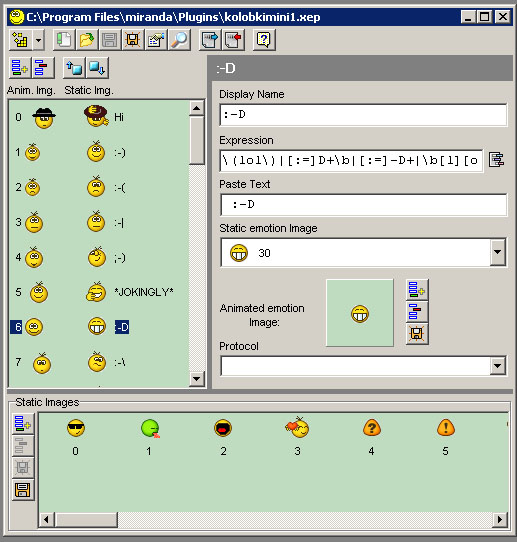
Description: This is a editor for Emotion Packages used in nConvers++
Originally developed by nikoladd
New versions by SUKER