
Trillian 3 Pro ASL File 1.0.1
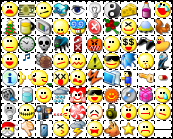
Description: This is an ASL file for use with SmileyAdd and IEView (there are animated emoticons). It contains around 270+ emoticons from Trillian 3 Pro.
To get the actual image files you need download the Adium Xtra named "Trillian 3 Pro" which contains the emoticons themselves. You can find this download here: http://www.adiumxtras.com/index.php?a=xtras&xtra_id=1085
Download the file and unzip the contents of the images into a subfolder of Miranda’s "smileys" folder (e.g. (Miranda Folder)smileysTrillian Icons). Then copy this ASL file into the same folder and set SmileyAdd to use it.
This ASL file was generated using the AdiumEmoticonConverter Python script.
Update:
ICQ6 smileys 1.3
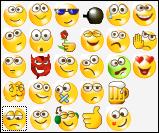
Description: Same as ICQ6 Smileys proper 1.2:
http://addons.miranda-im.org/details.php?action=viewfile&id=3528.
The addition is code image when receiving RTF in ICQ.
ICQ6 Smileys proper 1.2
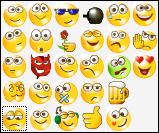
Description: This is just the asl file for the icq6 smilies. I am not allowed to offer you the smilies, but u can get them on your own. Please install ICQ6, (make all files visible) and get the smilies from C:\Documents and Settings\User\Application Data\ICQ\bart\1024 (open the 2 files with Winzip/Winrar) and extract them into any folder with this asl file.
Enjoy :)
PS: German file will follow as soon as ICQ released the german ICQ6.
Tango MSN Smile Pack for IEView 1.0.0.0
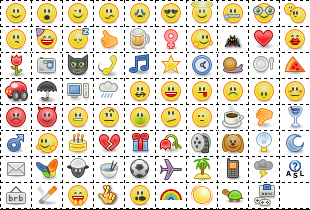
Description: I used Pidgin(http://pidgin.im/) smiles in Tango style and asl file from AduiMSN smiles (http://addons.miranda-im.org/details.php?action=viewfile&id=2880) compiled by russellc.
==============================================
Tango Desktop Projekt:
http://tango.freedesktop.org/Tango_Desktop_Project
ICQ 6 Smileys 0.1 0.1
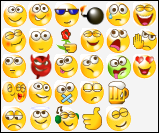
Description: MSL file for ICQ 6 smileys. To get gif smileys please install ICQ6 from http://www.icq.com/download and get smileys from X:\Documents and Settings\User\Application Data\ICQ\BART\1024\ (two files there are zip archives)
Gmail Chat Smileys 1.3
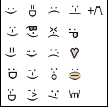
Description: Gmail Chat Smileys is an .asl file which allows the Gmail Chat smileys to work in Miranda. You NEED to download each animated .gif file from
http://mail.google.com/support/bin/answer.py?answer=34056
http://mail.google.com/mail/help/images/screenshots/chat/smile.gif
http://mail.google.com/mail/help/images/screenshots/chat/cowbell.gif
and put those .gif files in the same folder as gmail.asl
The archive does NOT come with the .gif files. The .gif files cannot be hosted at miranda-im.org, as it breaks the terms and conditions of submitting files. That is why you must get the .gif files from google website (or elsewhere).
You can edit the .asl file by associating it with a text editor.
The Smileys should animate well using IEView 1.0.9.7 or later.
If you find other smileys or want to suggest something post at http://forums.miranda-im.org/showthread.php?t=12849


Gmail Chat Blue 1.2
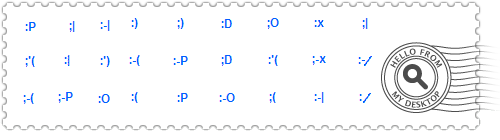
Description: I like the Smileys in Google Talk so I made this simple blue Smileys. Enjoy!
Skype Animated Emotions 1.2
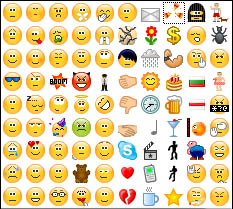
Description: It’s the sheer pack of Skype Emotions, that inclusive 90 different smiley’s.
Enjoy ;)
Yahoo 7 emoticons 0.3
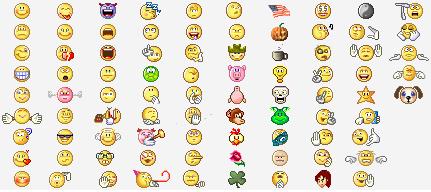
Description: New Yahoo 7 emoticons. Only .asl file included. Copy the emoticons (*.gif) from your Yahoo! Messenger installation.
It includes the new emoticons ( Call me, Not listening, etc )
JopsDrops Emoticons 0.3
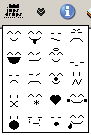
Description: Japanese Style Emoticons, inspired by Riceballs Emoticons.
enjoy