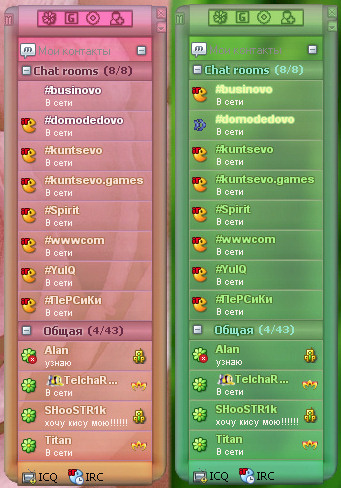
Tranquility Skin for IEView 0.0.0.1
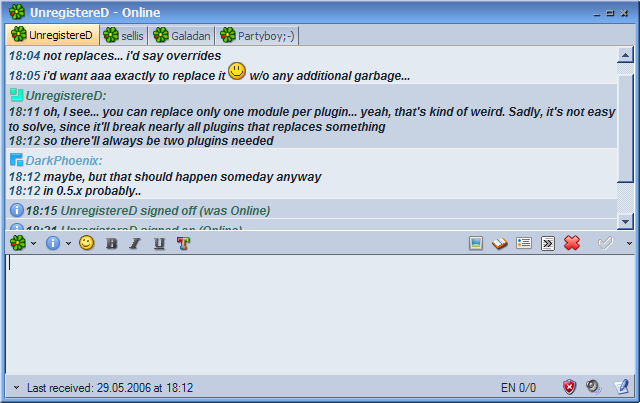
Description: Simple and clean skin for IEView message log, reflects one for TabSRMM, but with skinned scrollbar and higher resource consumption.
To use window (container) skin, download TabSRMM container skin (see below).
Other themes matching to this one:
Modern Contact List: http://addons.miranda-im.org/details.php?action=viewfile&id=3013
Nicer+ Contact List: http://addons.miranda-im.org/details.php?action=viewfile&id=3014
TabSRMM: http://addons.miranda-im.org/details.php?action=viewfile&id=2864
Smiley Pack: http://addons.miranda-im.org/details.php?action=viewfile&id=3015
PopUp+: http://addons.miranda-im.org/details.php?action=viewfile&id=2865
Tipper: http://addons.miranda-im.org/details.php?action=viewfile&id=3439
Splash Screen (by hansen): http://addons.miranda-im.org/details.php?action=viewfile&id=3212
ICQ 5 Smileys 1.1

Description: #########################################################################
GERMAN VERSION
#########################################################################
ICQ 5 Smileys für Miranda :)
In diesem Paket befinden sich keine smileys, daher wird ICQ 5 benötigt (aus rechtlichen Gründen).
Ihr könnt ICQ 5 hier downloaden:
http://www.icq.com/download/
Schritte zur Installation:
- Entpacke die Inhalte der Datei "icq5_smileys.zip" in Miranda’s Verzeichnis (standardmäßig unter "C:/Programme/Miranda").
- Kopiere die Smiley-Grafiken vom ICQ-Verzeichnis "C:/Programme/ICQLite/Smilies" ins Unterverzeichnis "smileys/icq5".
- "convert.bat" ausführen.
- Das wars.
Burnie,
burnie@nurfuerspam.de
http://www.AustroSolutions.at
06/03/2006
#########################################################################
ENGLISH VERSION
#########################################################################
Use your ICQ 5 Smileys in miranda :)
This release doesn’t include any smiley pictures, so ICQ 5 is required (for legal reasons).
You can download ICQ 5 from here:
http://www.icq.com/download/
Installation steps: - Extract the contents of "icq5_smileys.zip" archive into Miranda’s home directory (usually "C:/Program Files/Miranda").
- Copy the smiley pictures from your ICQ Directory "C:/Program Files/ICQLite/Smilies" to "smileys/icq5" subdirectory.
- Run "convert.bat".
- That’s all.
Burnie,
burnie@nurfuerspam.de
http://www.AustroSolutions.at
06/03/2006
OrangeMania for TabSRMM 0.0.0.1
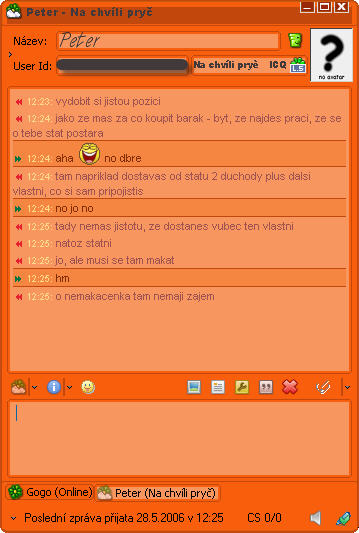
Description: This zip includes Container Skin for TabSRMM, Skin file for Clist Nicer+ and screenshots
Steam II 1.0
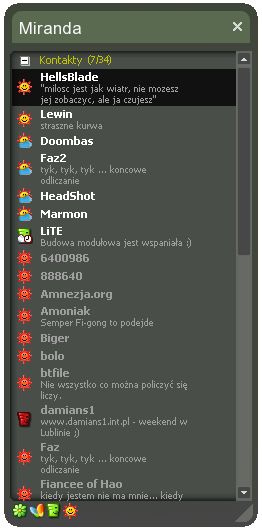
Description: Steam II skin for Miranda IM. I dont change fonts in the skin, then you must change manual it in options :)
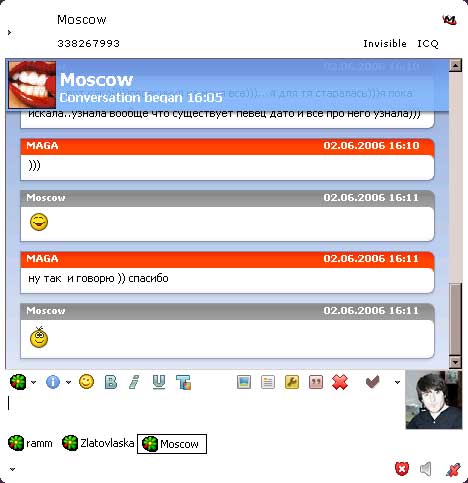
AbsoluteBlack tabSRMM theme 0.0.0.
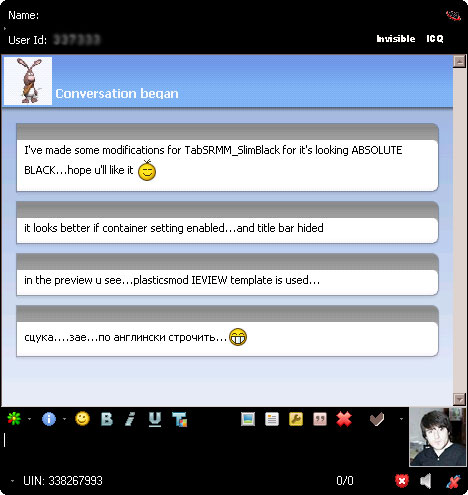
Description: This is a modification of TabSRMM_SlimBlack….i have made some changes for its looking absolute black…


Cristal Full 0.12
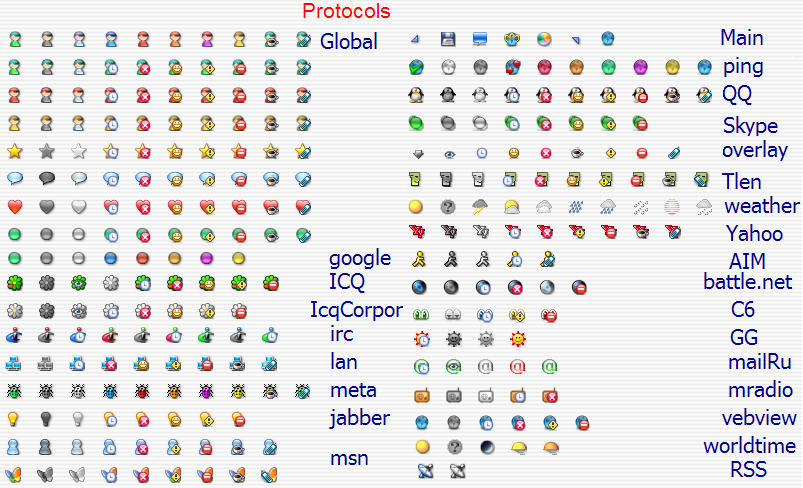
Description: contains:
- Global iconpacks.
- Main iconpack.
- Protocol iconpacks: ICQ, MSN, AIM, Jabber, IRC, GaduGadu, MetaContacts, Tlen,Mail.ru agent
QQ, Yahoo, RSS, Weather,WebView, mTV, Skype, WorldTime, Ping, WinPopup, C6, battle.net, mRadio. - Proto_connect icons for all protocol iconpacks.Need clist_mw or clist_modern instaled
http://img29.imageshack.us/my.php?image=connect4yl.gif - Extra iconpack for clist_mw & clist_modern
Put all items from above in "icons" folder in your Miranda directory. - tabSRMM iconpack (change with IconLib or put it in "plugins" folder)
- TopToolBar icons 16x16
- nConvers iconpack (nc_icons.dll). Change it with IconLib Manager using "import icon" button (load packs don’t work.. yet)
- iconpacks for chat window and chat log.
- newstory iconpack (change with IconLib).
- overlay iconpack for clist_nicer.(change it with IconLib)
- Default proto_avatar images for loadavatars
http://img238.imageshack.us/my.php?image=cristalavat7bz.jpg - Clist_nicer theme.
- Iconpack for worldtime plugin.(change it with IconLib)
- Skin for clist_Modern Layered.
- Skin for PopUp Plus .
- GMailNotify iconpack.
- FileAsMessage iconpack.
- Updater plugin iconpack.
- History++ iconpack