
blackcoloursskin 1.0.0.0
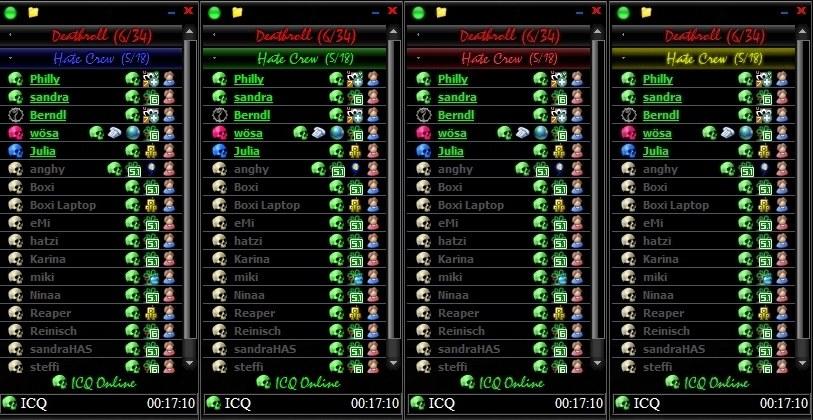
Description: A very beautiful black miranda skin for clist_modern, you can choose between 4 colours.
Amok Miranda skin 1.1
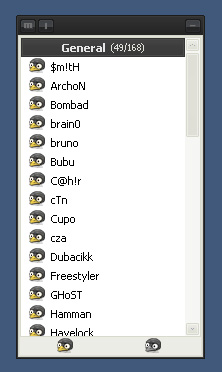
Description: Simple and i hope nice Miranda skin designed to match http://www.deviantart.com/deviation/49073753/ skin "Amok".
clist_modern plugin is required. Hope u like it :) Enjoy
Source link to deviation http://www.deviantart.com/deviation/54768532/
Enjoy
Calipso mod 0.1.8
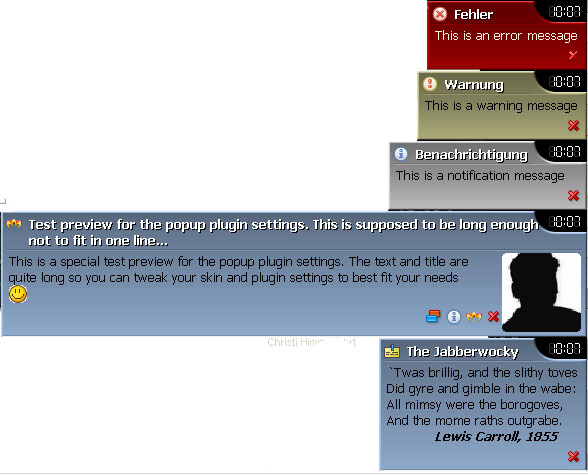
Description: A PopUp Plus Skin based on Calipso (http://addons.miranda-im.org/details.php?action=viewfile&id=2412) which I like a lot. I added a few new Options and made it compatible with the new PopUp Plus versions.
I hope there are no major visual glitches
XSLT for Converting Adium Smiley Packs 1.0
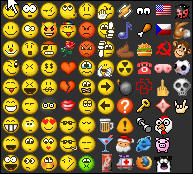
Description: This XSLT was tested using Saxon 8.x. which you can download here:
http://saxon.sourceforge.net/#F8.9SA
Although I specified XSLT 2.0 and used a 2.0 processor to develop and test it, to my knowledge I did not use anything specific to 2.0. So this XSLT should work just fine under a 1.0 processor as well.
This XSLT helps you convert the plist file that comes with Adium Smiley packs into the .asl format that Miranda uses.
To use this you need to have an XSLT processor (I used Saxon). You would then:
ICQ6 Style Theme 1.0
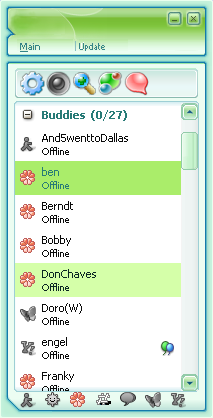
Description: ICQ6 Style Theme for Modern Contact List.
For a tabsrmm Skin in ICQ6 style look here:
http://addons.miranda-im.org/details.php?action=viewfile&id=3552
Trillian 3 Pro ASL File 1.0.1
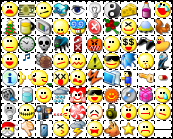
Description: This is an ASL file for use with SmileyAdd and IEView (there are animated emoticons). It contains around 270+ emoticons from Trillian 3 Pro.
To get the actual image files you need download the Adium Xtra named "Trillian 3 Pro" which contains the emoticons themselves. You can find this download here: http://www.adiumxtras.com/index.php?a=xtras&xtra_id=1085
Download the file and unzip the contents of the images into a subfolder of Miranda’s "smileys" folder (e.g. (Miranda Folder)smileysTrillian Icons). Then copy this ASL file into the same folder and set SmileyAdd to use it.
This ASL file was generated using the AdiumEmoticonConverter Python script.
Update:
Tango Weather Avatars 0.0.0.1

Description: Image from the Tango Desktop Project. Visit the Tango Desktop Project’s official website at http://tango-project.org/.
requirements:
Weather Protocol: http://addons.miranda-im.org/details.php?action=viewfile&id=2322
Avatar service plugin: http://addons.miranda-im.org/details.php?action=viewfile&id=2361 (Ansi) - http://addons.miranda-im.org/details.php?action=viewfile&id=2990 (Unicode)
clist_nicer: http://addons.miranda-im.org/details.php?action=viewfile&id=2602 (Ansi) - http://addons.miranda-im.org/details.php?action=viewfile&id=2601 (Unicode)
or
clist_modern: http://addons.miranda-im.org/details.php?action=viewfile&id=2996 (Ansi) - http://addons.miranda-im.org/details.php?action=viewfile&id=2103 (unicode)
installation notes:
-put images in plugins/weather folder.
-make sure weather protocol is marked as active in customize->contact pictures (do not specify a path to image for it) and avatars are enabled in your clist options.
-restart miranda
if images aren’t shown reset them from contact menu->contact picture. If this won’t help feel free to express your fillings in http://forums.miranda-im.org/showthread.php?t=4425
==============================================
Tango Desktop Projekt:
http://tango.freedesktop.org/Tango_Desktop_Project
Opus Mk.II 1.1
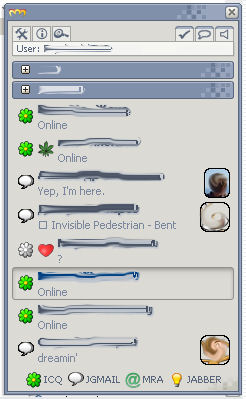
Description: Remake of my favourite Windows XP theme by bOsE - Opus. Originally skin developed by torvaldur (http://addons.miranda-im.org/details.php?action=viewfile&id=2869), I’ve made some code improvements and buttons restyle/adding.
Enjoy.
Thanks to other authors.
Simply Basic Skin 1.0
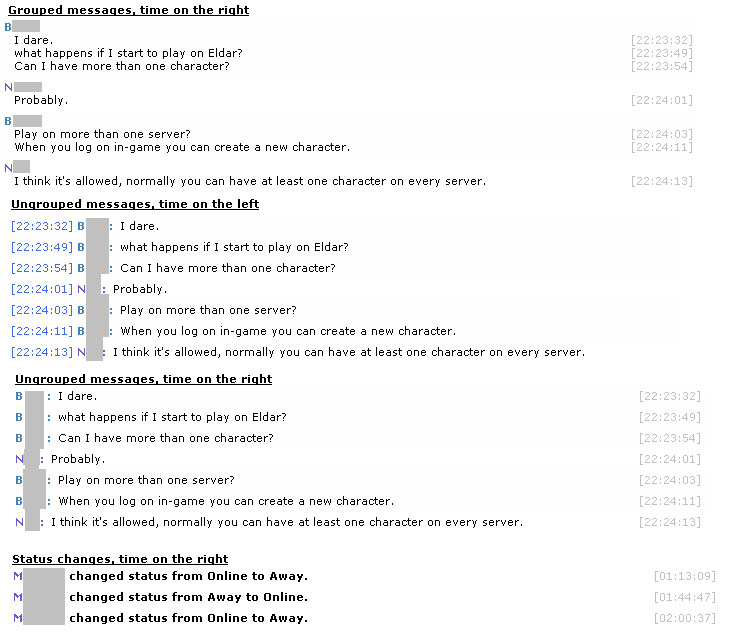
Description: This is a simple and basic skin, meant to be easy on the eye and pretty minimalistic (although not overly so). The style is somewhat inspired by Trillian’s messaging style and the kryStyle Mod Skin 1.0.
There are three variations:
- No time stamp displayed.
- Time stamp displayed on the left side.
- Time stamp displayed on the right side.
Message grouping is supported (but when turned on the time stamp is always on the right side).