
BuggerIM Icons by Blancmange 2.0
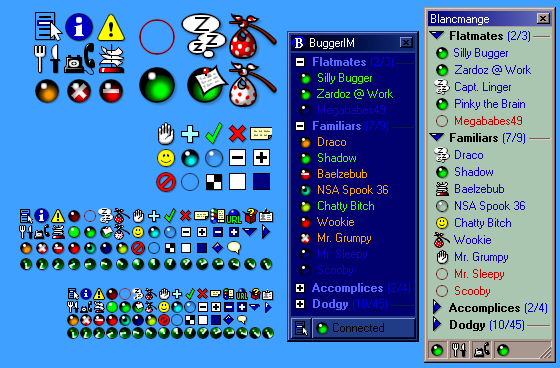
Description: This set includes the 24bpp+Alpha versions of my icons I originally created for BuggerIM, my own attempt at writing a Jabber IM. I abandoned that when I found MirandaIM.
The icons are in 12x12, 16x16, 24x24, 32x32 and 48x48 sizes and in 24bpp+Alpha, 256-colour and VGA pixel formats. Except for the 256-colour icons being generated with the colours of the 24bpp+Alpha ones and the opacities of the VGA ones, all images have been drawn (or at least touched up) individually.
The images are in PNG format, Windows ICOs and DLLs suitable for use in MirandaIM. An animated connection icon (of a radar scope) is provided for contact list plugins which support animated icons.
Most of the icons are fairly clear and should be easily distinguishable even by red-green colour-blind people. People with good eyesight can use the ‘crystal’ variants to keep all their contact list icons the same shape :)
The screenshot is a composite of a screenshot of an oldish version of MirandaIM (and a mock-up of BuggerIM) in order to show the variety of status indicators and to protect the privacy of the people on my contact list.
It should be an accurate representation except that alpha channel has been correctly blended in Photoshop. I’m anticipating the display bug in MirandaIM to be fixed sometime soon.
The bug causes semi-transparent pixels to be blended darker than they should and if they were coloured, blended to the wrong hue. Section 13.16, Alpha Channel Processing in the PNG specification describes the correct method of displaying PNGs or indeed any image with an opacity channel.
The icons still reasonably good when naïvely blended, though.
So that any instant messenger can benefit from these icons (of which I’m terribly fond), I’ve released all the images to the public domain.
Radar Scope Connecting Icon 2.0

Description: This 16-frame animated connection icon displays a radar scope sweeping clockwise and illuminating a blip at the top-left. The image formats of the "MirandaIM" variant of the icons are 16×16 pixels × 32bpp and 16×16 pixels × 8bpp. The "Fat" variants of the icons include many more image size-plus-pixel formats to be compatible with future versions of MirandaIM which may feature user-customisable icon sizes.
I designed the VGA version long ago to replace ICQ’s infuriating animation of suits at a boardroom table.
This set a part of the BuggerIM icon set, though it stands well enough on its on and will fit any icon set in which the weight of the image is that of a circle 12 pixels across in a 16x16 field.
To use it, you’ll need a contact list plug-in that supports animated connection icons. The plugin named clist_modern does that, though it appears to require you to have the file replicated for each protocol you have.
Skull icons 1.0
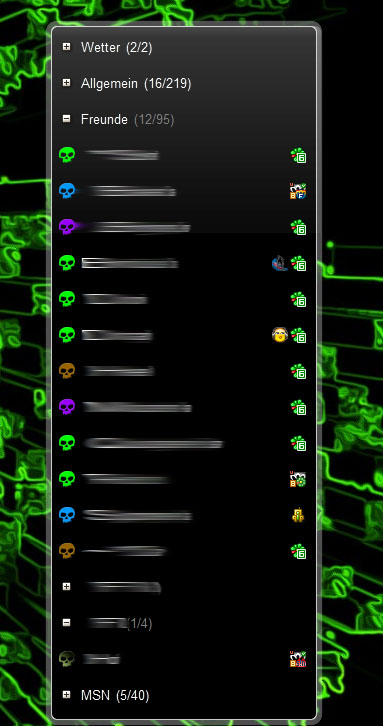
Description: English:
a few skull icons for icq i made this becouse i cant find icons like this
have fun
for support and other things only register at my forum : http://nilsbaensch.ni.funpic.de/Forum/index.php?sid=a2463d18e858adaab402b554fc35da1d
Deutsch:
Hey leute hab hier mal ein paar ICQ icons für miranda in form eines totenkopfes
viel spaß damit
Für anfragen und verbesserungen einfach hier anmelden: http://nilsbaensch.ni.funpic.de/Forum/index.php?sid=a2463d18e858adaab402b554fc35da1d
Black Style Dan .2
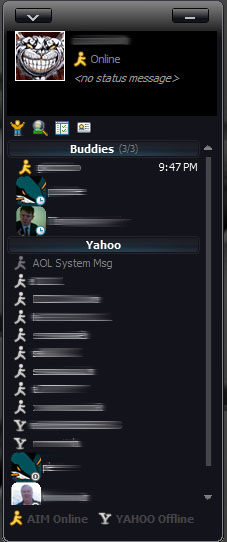
Description: Modified "Black Style" Themes for Modern Contact List, TabSRMM, and IEView. Contains original "Black Style" themes but has alternate "Black Style Dan" files in each folder. I basically added this because I preferred a simpler skin with fewer icons and more compact chat window.
Black Style Dan .2
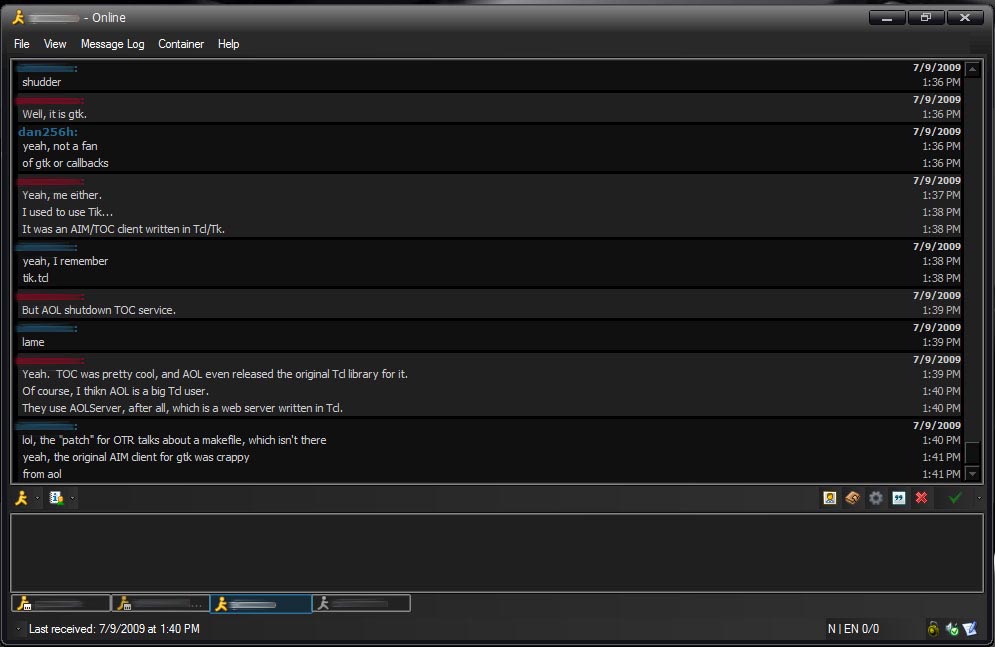
Description: Modified "Black Style" Themes for Modern Contact List, TabSRMM, and IEView. Contains original "Black Style" themes but has alternate "Black Style Dan" files in each folder. I basically added this because I preferred a simpler skin with fewer icons and more compact chat window.
Black Style Dan .2
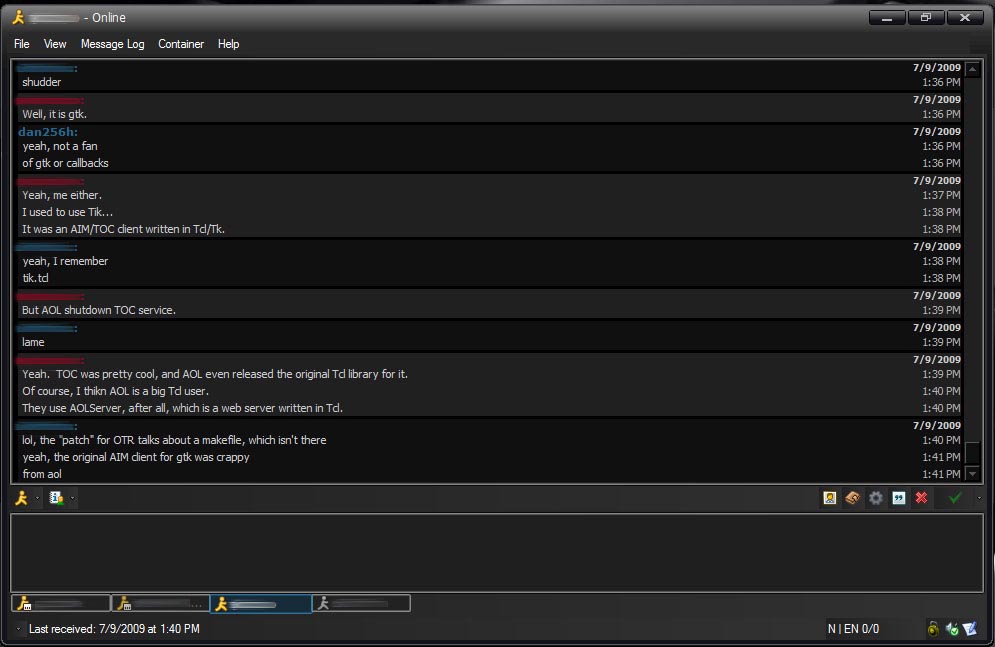
Description: Modified "Black Style" Themes for Modern Contact List, TabSRMM, and IEView. Contains original "Black Style" themes but has alternate "Black Style Dan" files in each folder. I basically added this because I preferred a simpler skin with fewer icons and more compact chat window.
Plugins Replacement Icons 1.0
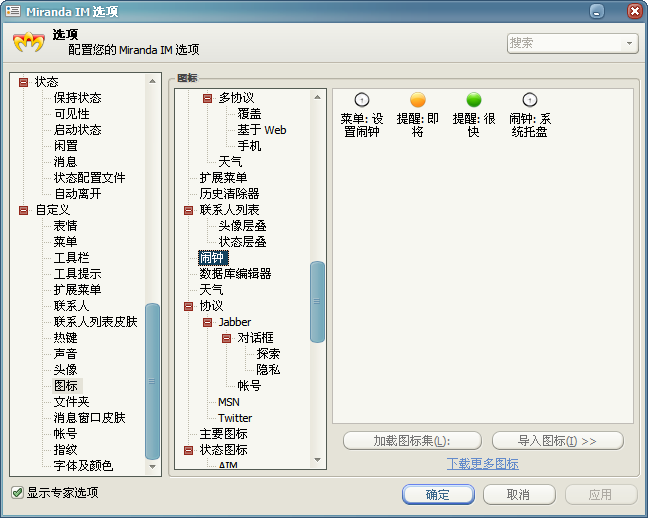
Description: Support:
Alarms
IgnoreState
How to:
Options - Icons - (Plugins Name) - Load icon set… - Import Plugins_XXX.dll.
More ScreenShot:
http://lancaster.themex.net/archives/1780
Chrome Aquamarine for modern clist 1.1.0
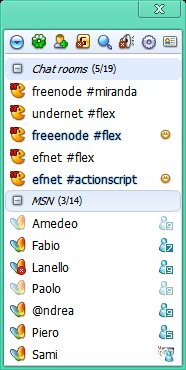
Description: Google chrome aquamarine skin for modern contact list
Remember to get the whole suite simply by searching for "chrome" in the miranda addons section.
You can also get miranda already configured with chrome skins at the Miranda Install&Go site at http://miranda.net63.net
Chrome Dark for modern clist 1.1.0
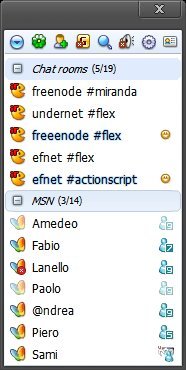
Description: Google chrome dark skin for modern contact list
Remember to get the whole suite simply by searching for "chrome" in the miranda addons section.
You can also get miranda already configured with chrome skins at the Miranda Install&Go site at http://miranda.net63.net
Chrome Darkblue for modern clist 1.1.0
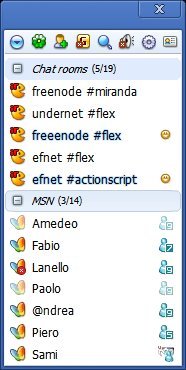
Description: Google chrome darkblue skin for modern contact list
Remember to get the whole suite simply by searching for "chrome" in the miranda addons section.
You can also get miranda already configured with chrome skins at the Miranda Install&Go site at http://miranda.net63.net